Maltese Keyboard plugin1.0
Publisher Description
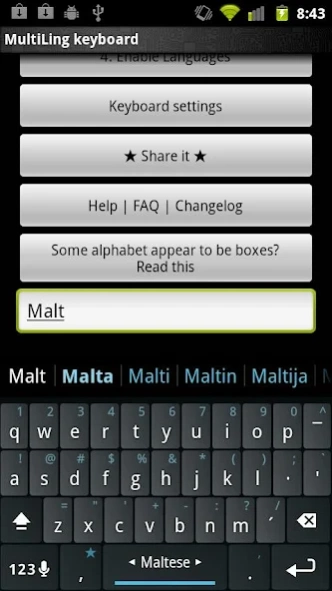
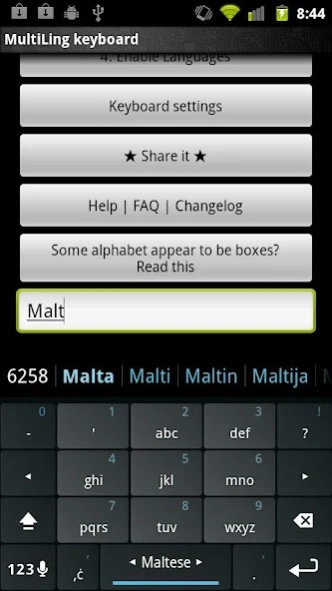
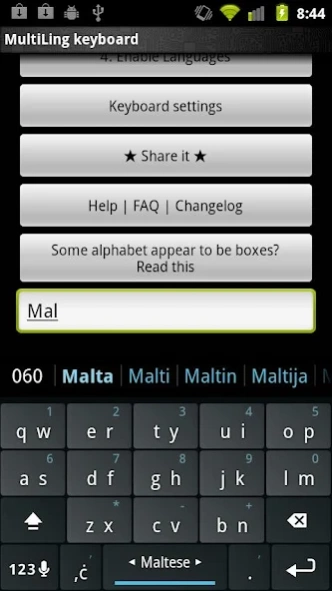
Maltese plugin for Multiling O Keyboard
Maltese (Malti) plugin for Multiling O Keyboard. This is not an independent app, please install OKeyboard along with this plugin.
Instruction:
⑴ Install this plugin and
Multiling O Keyboard
.
⑵ Run O Keyboard and follow its setup guide.
⑶ Slide space bar to switch languages.
Please email if you have any questions.
Wikipedia:
Maltese (Malti) is the national language of Malta and a co-official language of the country alongside English,[3] while also serving as an official language of the European Union, the only Semitic language so distinguished. Maltese is descended from Siculo-Arabic (the Arabic dialect that developed in Sicily and later in Malta, between the end of the ninth century and the end of the twelfth century).[4][5] About half of the vocabulary is derived from standard Italian and Sicilian;[4] English words make up between 6% and 20% of the Maltese vocabulary, according to different estimates (see below).[6] It is the only Semitic language written in the Latin script in its standard form.
Photo: Guardian Lake by Romain Guy
About Maltese Keyboard plugin
The company that develops Maltese Keyboard plugin is Honso. The latest version released by its developer is 1.0. This app was rated by 1 users of our site and has an average rating of 5.0.
To install Maltese Keyboard plugin on your Android device, just click the green Continue To App button above to start the installation process. The app is listed on our website since 2012-03-29 and was downloaded 27 times. We have already checked if the download link is safe, however for your own protection we recommend that you scan the downloaded app with your antivirus. Your antivirus may detect the Maltese Keyboard plugin as malware as malware if the download link to klye.plugin.mt is broken.
How to install Maltese Keyboard plugin on your Android device:
- Click on the Continue To App button on our website. This will redirect you to Google Play.
- Once the Maltese Keyboard plugin is shown in the Google Play listing of your Android device, you can start its download and installation. Tap on the Install button located below the search bar and to the right of the app icon.
- A pop-up window with the permissions required by Maltese Keyboard plugin will be shown. Click on Accept to continue the process.
- Maltese Keyboard plugin will be downloaded onto your device, displaying a progress. Once the download completes, the installation will start and you'll get a notification after the installation is finished.
Program Details
System requirements
Download information
Pricing
Version History
version 1.0
posted on 2012-03-29
version 1.0
posted on 2012-03-29
Several fixes and updates
